IAM update: Check my roles and use dedicated permission systems


When collaborating in a cloud environment, questions like these often come up.
"What permissions do I have in this project?"
"Why can't I access this setting?"
"What role did we assign to this user?"
In this update, a feature has been added so that each user can directly check their own role information to answer these questions. In addition, a new dedicated role system for managing IAM and projects, excluding cloud resources, has been introduced, allowing permissions to be configured and operated more precisely.
🖥️ Easily check your role information
One of the biggest changes in this update is that users can now directly check their own role information in the console.
Previously, users had to ask an administrator separately to confirm "what role I have" or "what settings I can access." This was especially difficult when participating in multiple projects at the same time, because it was hard to clearly understand the permission scope.
Now, however, the console provides a feature that clearly distinguishes and displays organization roles and project roles.
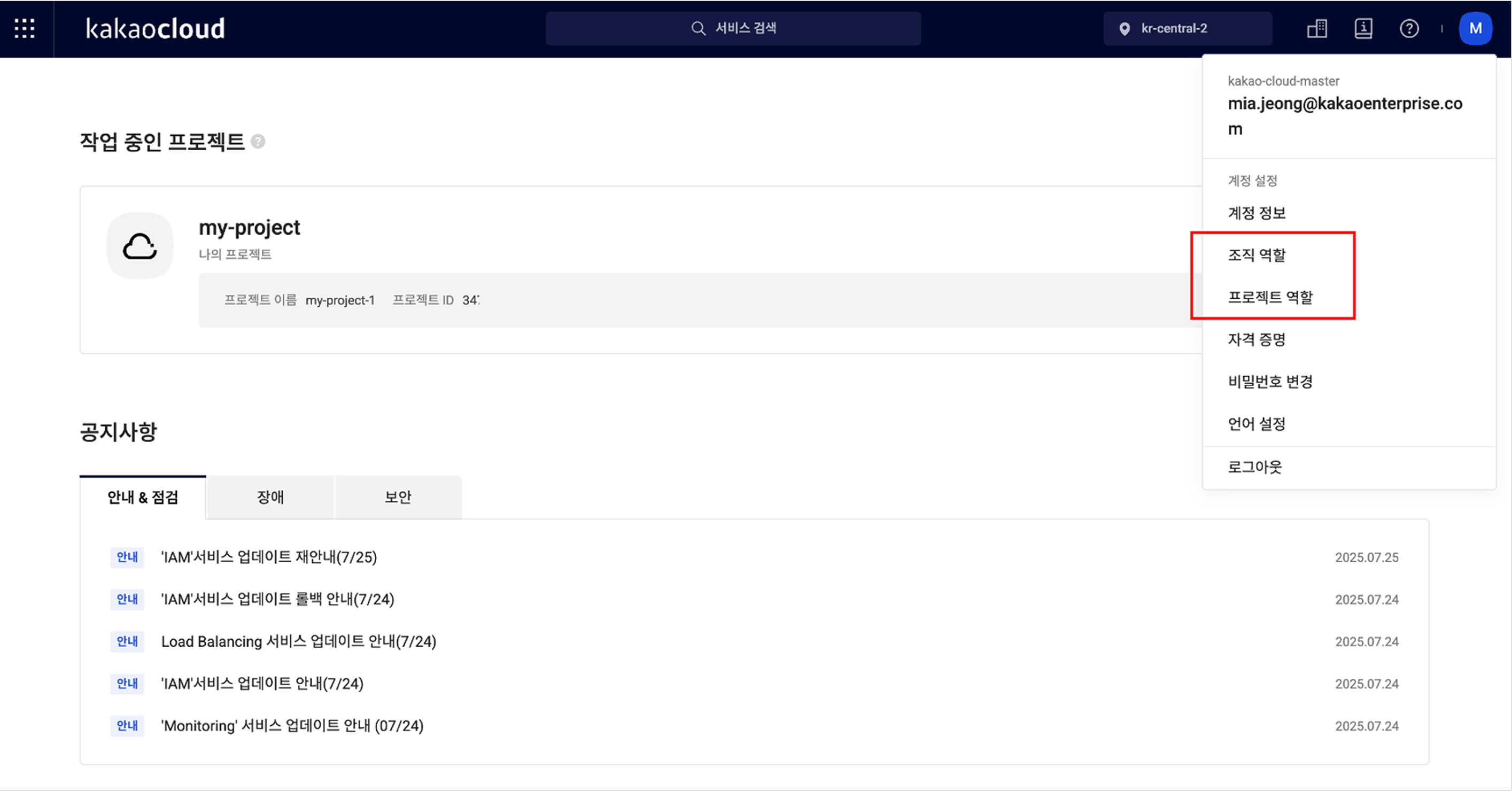
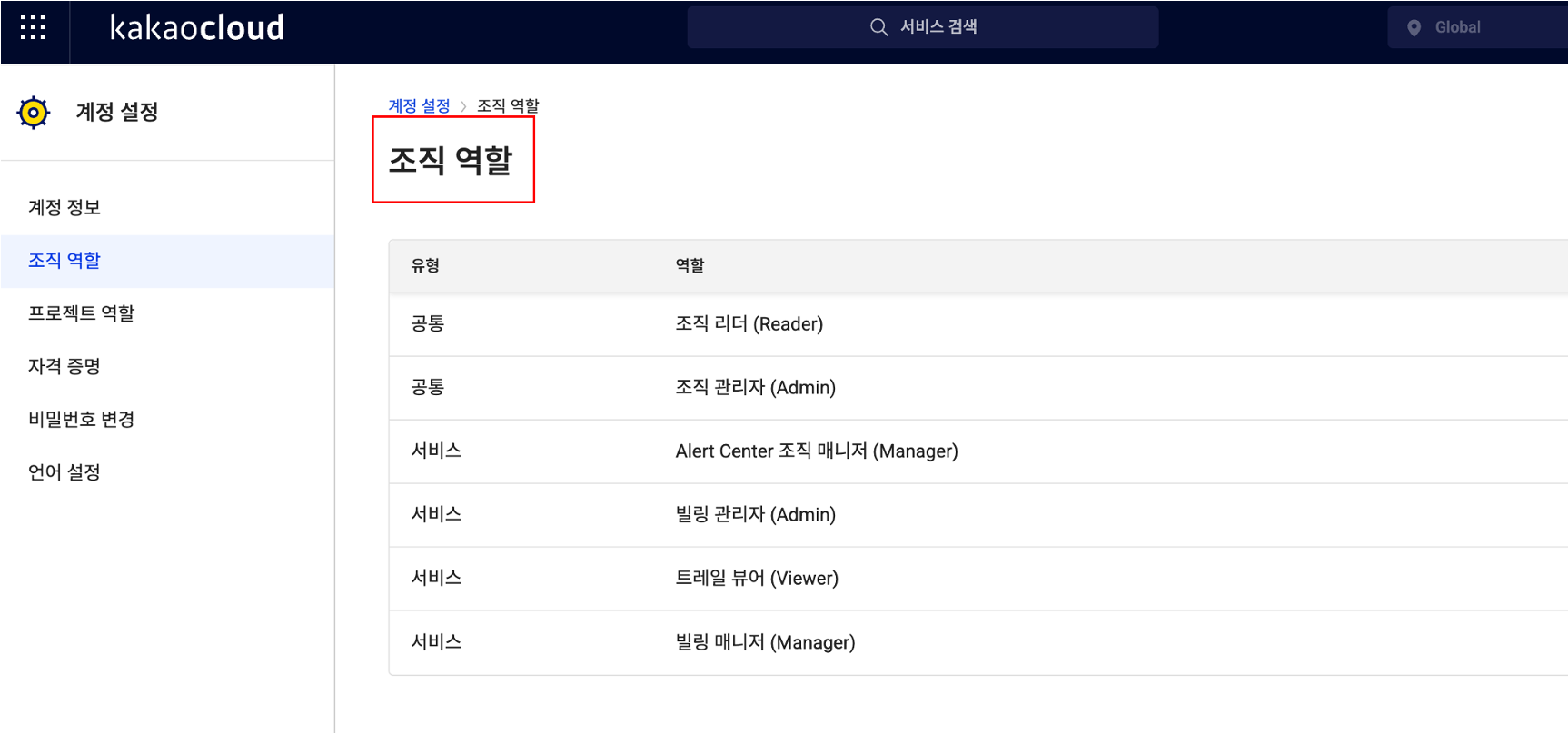
First, organization-level roles can be checked by selecting Organization roles from the profile menu at the top right of the console. In addition to the role names assigned to you, it also shows whether they are common roles or service roles limited to a specific service, allowing you to understand your current permissions at a glance.
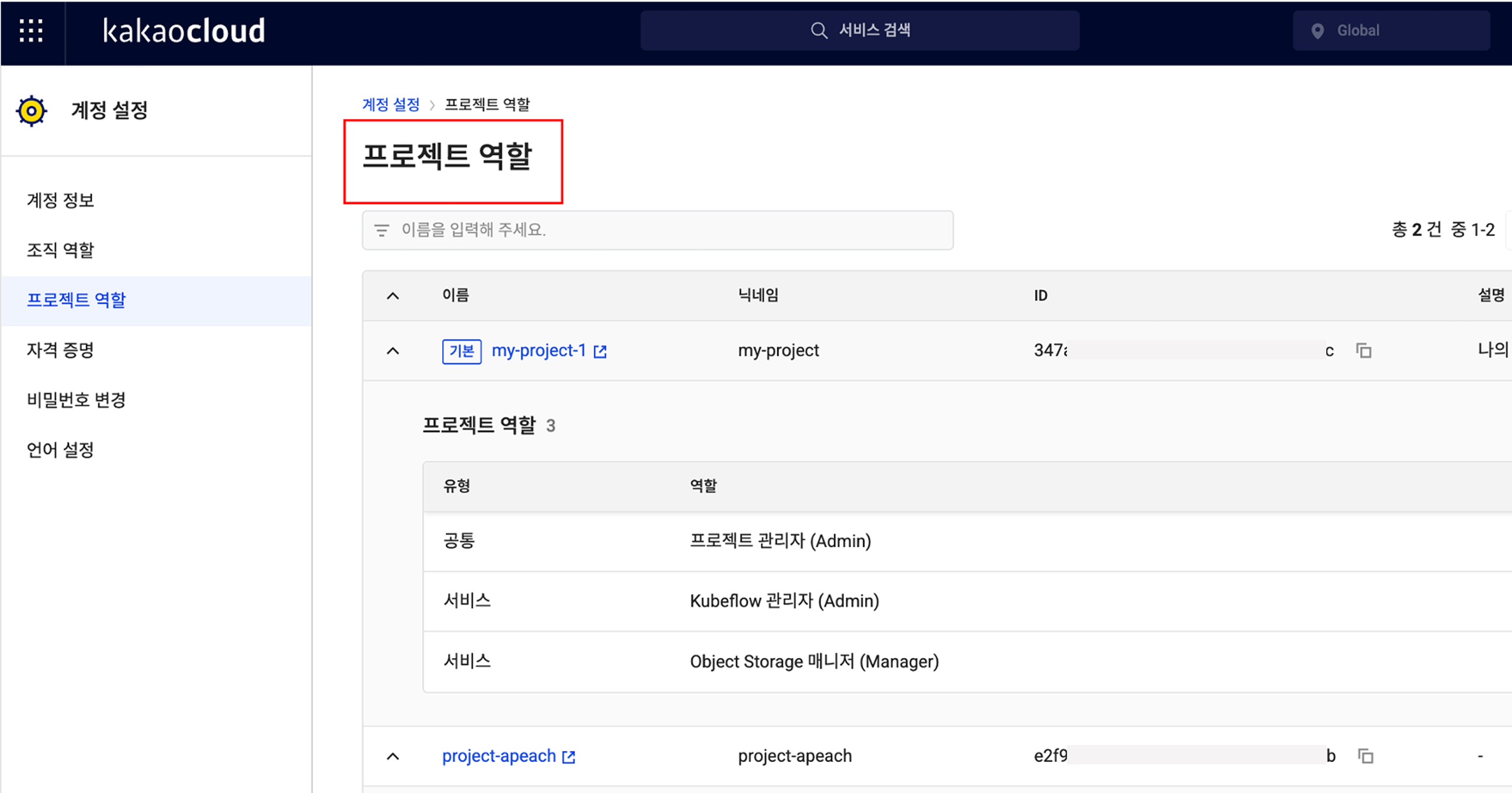
The same applies to project-level roles. In the Project roles menu at the same location, you can check the list of projects you belong to and see which roles are assigned within each project. The project name, nickname, ID, description, role type, and role name are provided together, so even if you participate in multiple projects, you can clearly understand the scope of your permissions.
🎉 New roles added for IAM and project management features
This update also includes important changes to the role system.
Previously, the system consisted only of default roles such as Organization Admin, Project Admin, Member, and Reader, making it difficult to subdivide roles and responsibilities in real operating environments. For example, even if you wanted to grant a specific user permission to manage only IAM settings, Organization Admin or Project Admin roles also included resource management permissions, creating concerns.
To reflect these practical needs, dedicated roles specialized for IAM services and project management features have been newly introduced.
- IAM Organization Admin has permission to assign or remove roles for users in the IAM service.
- IAM Organization Viewer can view role information but cannot modify it directly.
- IAM Project Admin can assign or modify user permissions for a specific project.
- IAM Project Viewer has read-only permission to view role information for the project.
These dedicated roles can be assigned independently from existing organization/project administrators, allowing management responsibility for users to be subdivided more precisely.
👉 Learn more about IAM and project management roles
💡 Improving usability and clarifying responsibility
This IAM update is meaningful not simply because a feature was added, but because it provides a system that clarifies roles and responsibilities within an organization and distributes permissions efficiently.
Administrators no longer need to say, "I assigned the role, so please check whether you can access it." Instead, they can say: "Check and use the permissions you need directly in the console." In other words, the flow changes from a verification request to guidance for autonomous verification.
In addition, by using the new roles specialized for IAM and project management, you can assign service-specific owners while granting only the permissions they truly need. This strengthens security policies and makes permission operations more efficient.
Going forward, KakaoCloud plans to further subdivide service-specific role systems, including IAM. Through this, organizations can better follow the Principle of Least Privilege, administrators can reduce operational burden by granting customized permissions by task, and users can more clearly understand their own roles and responsibilities.
Want to check more details in the IAM documentation?
👉 View IAM role management documentation