Task Manager and notifications added to the KakaoCloud console

When managing cloud resources, you may need to repeatedly check the same page after requesting a resource creation or change to see how far the task has progressed. For bulk tasks that change multiple resources at once, it can also take time to determine which tasks have completed and where errors occurred.
To address these challenges, the KakaoCloud console now provides Task Manager and Notifications. Task Manager lets you monitor task progress in real time, while Notifications brings task results and important console updates together in one place. You can now track tasks in progress from anywhere in the console and quickly review the results when they are complete.
This post introduces how Task Manager and Notifications can help you manage resource tasks more efficiently.
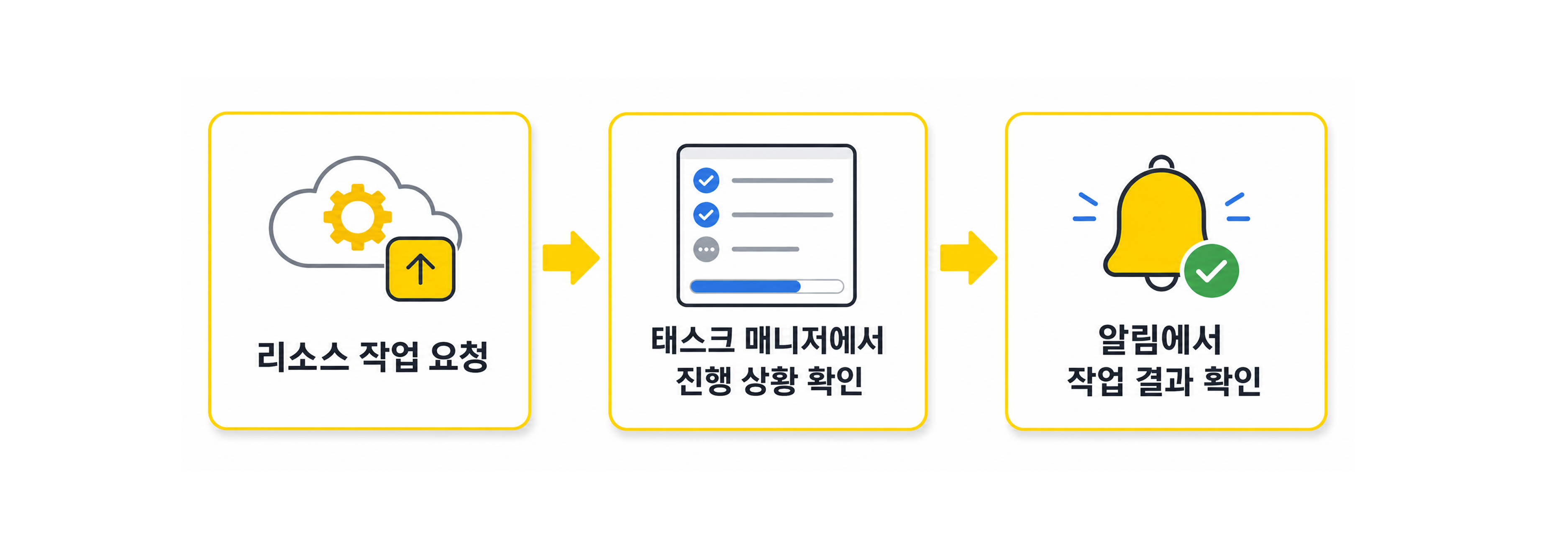 KakaoCloud resource task flow
Task Manager: View tasks in progress at a glance
After requesting a resource task, you can view its current progress and result in Task Manager. Even after moving to another service or menu, you can continue monitoring tasks that are in progress or complete. You no longer need to remain on the original page or repeatedly refresh the resource list while waiting for a result.
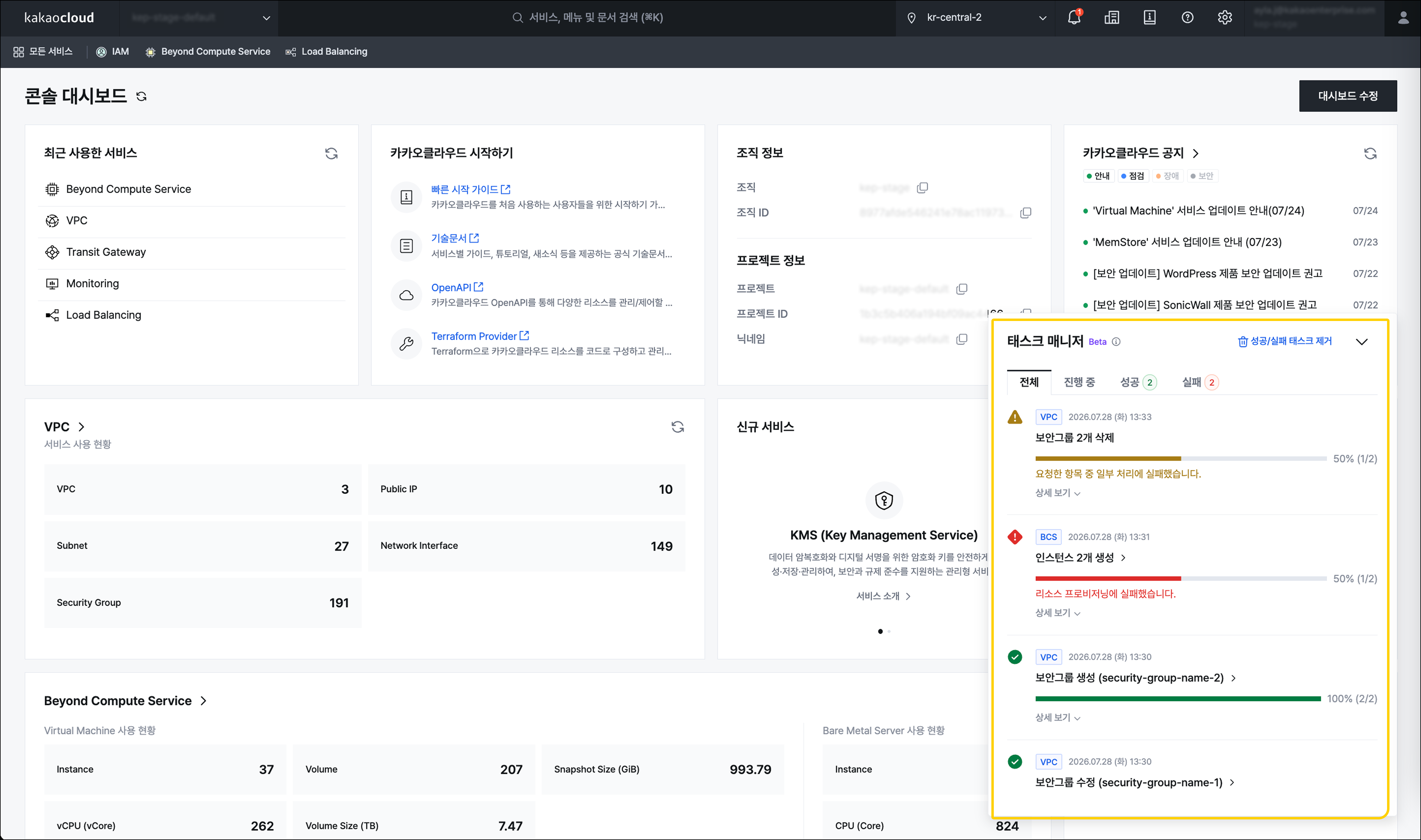 Task Manager
You can filter tasks by All, In progress, Succeeded, Failed, and Partially failed (partially succeeded). For tasks in progress, Task Manager displays both the completion percentage and the number of completed subtasks. Expand a task to view the status of each step and its target resources in detail.
For bulk tasks that process multiple resources at once, Task Manager shows the status of each resource individually. If part of a task fails, you can immediately identify the failed subtasks and review the error details.
After reviewing a task, you can remove individual successful or failed tasks from the list or clear all completed tasks at once. Tasks remain in the list until you remove them, so you can revisit their results whenever needed.
Task Manager is currently available in beta. It is initially supported by selected services, including Beyond Compute Service and VPC, with support expanding over time.
Notifications: View task results and console updates in one place
Notifications brings resource task results and the latest KakaoCloud console updates together in one place. When a task completes, you receive its success or failure result, allowing you to continue working on another page without missing the outcome.
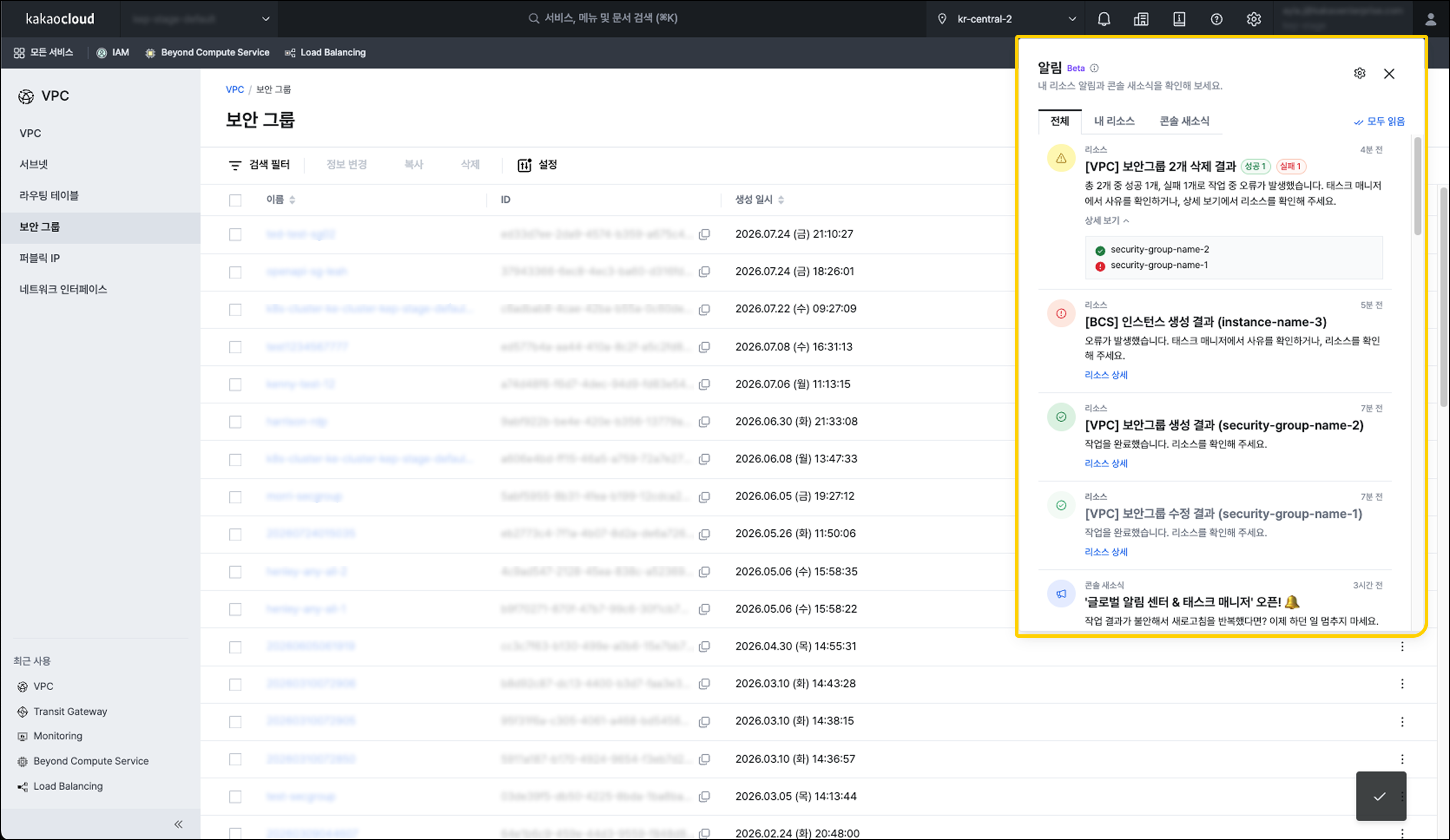 Notifications
The notification list is divided into the All, My Resources, and Console news tabs.
- All: View My Resources notifications and console news together
- My Resources: View the success and failure results of resource tasks that you requested
- Console news: View announcements about new features and major updates
My Resources notifications show the number of successful and failed items for both individual and bulk tasks. Expand the details to review the result for each target. For supported tasks, you can go directly to the corresponding resource details page. My Resources provides a seven-day notification history for the currently selected project.
New notifications are marked as unread. Select a notification to mark it as read, or select Mark all as read to clear all unread notifications at once. This makes it easy to distinguish task results and console updates that you have not yet reviewed.
Configure push notifications for your environment
Notifications offers two push notification methods for different console usage scenarios.
- In-app push: Displays notifications in the KakaoCloud console while you are using it
- Browser push: Displays browser notifications even when the console is running in the background
In-app push is enabled by default, while browser push must be enabled manually. Even if you turn off push notifications, task results and console updates remain in Notifications so that you can review them at any time.
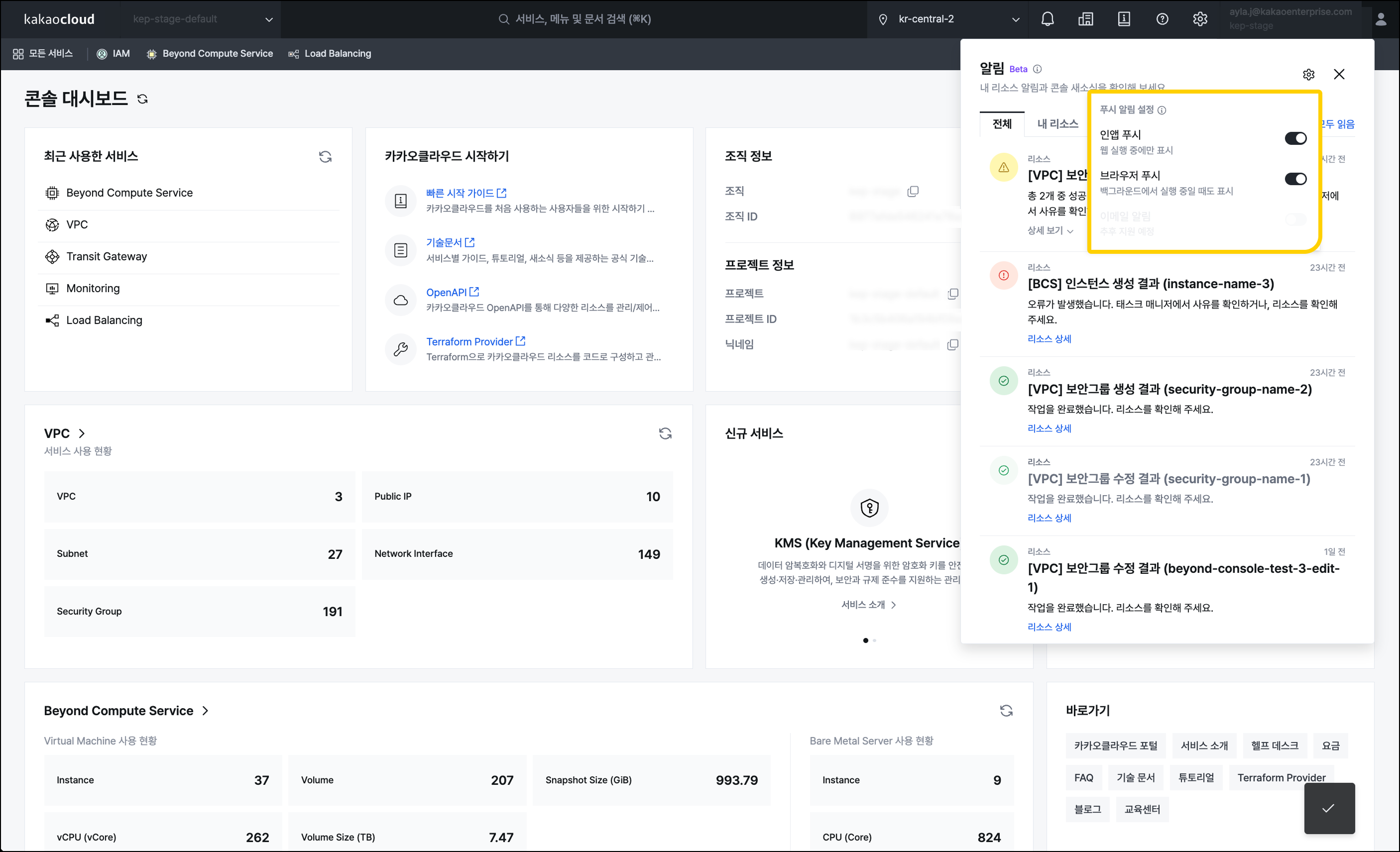 Push notification settings
A connected console experience from request to result
After requesting a resource task, you can monitor its progress in Task Manager and immediately review the result through Notifications when the task is complete. If a task fails, review the error details and, when necessary, go to the relevant resource page to take follow-up action.
You no longer need to switch between service pages or repeatedly refresh resource lists to check task results. By viewing progress and results in a single workflow, you can work more efficiently even when managing multiple resources or performing several tasks at the same time.
Task Manager and Notifications are currently available in beta and initially supported by selected services, including Beyond Compute Service and VPC. Explore a more convenient resource management experience in the newly improved KakaoCloud console.
👉 Learn about the KakaoCloud console layout
👉 Get started with KakaoCloud