KakaoCloud technical documentation reference menu update



When working with cloud resources through code, you need to check not only the resource concepts but also the endpoints to call, request hosts, authentication information, and parameters. If you use Terraform, you also need to find the Provider's resources, data sources, arguments, and examples.
To support this development workflow, KakaoCloud has redesigned the technical documentation reference menu and document navigation structure. The new structure brings together the API specifications, user guides, Terraform Provider documentation, tutorials, and other information needed for development.
Find API and Terraform documentation in one place
The newly organized Reference menu brings KakaoCloud API and Terraform documentation together in one place. It expands the previous API-focused menu by connecting each document's starting point with detailed guides and tutorials. API document menu labels have changed from OpenAPI to API.
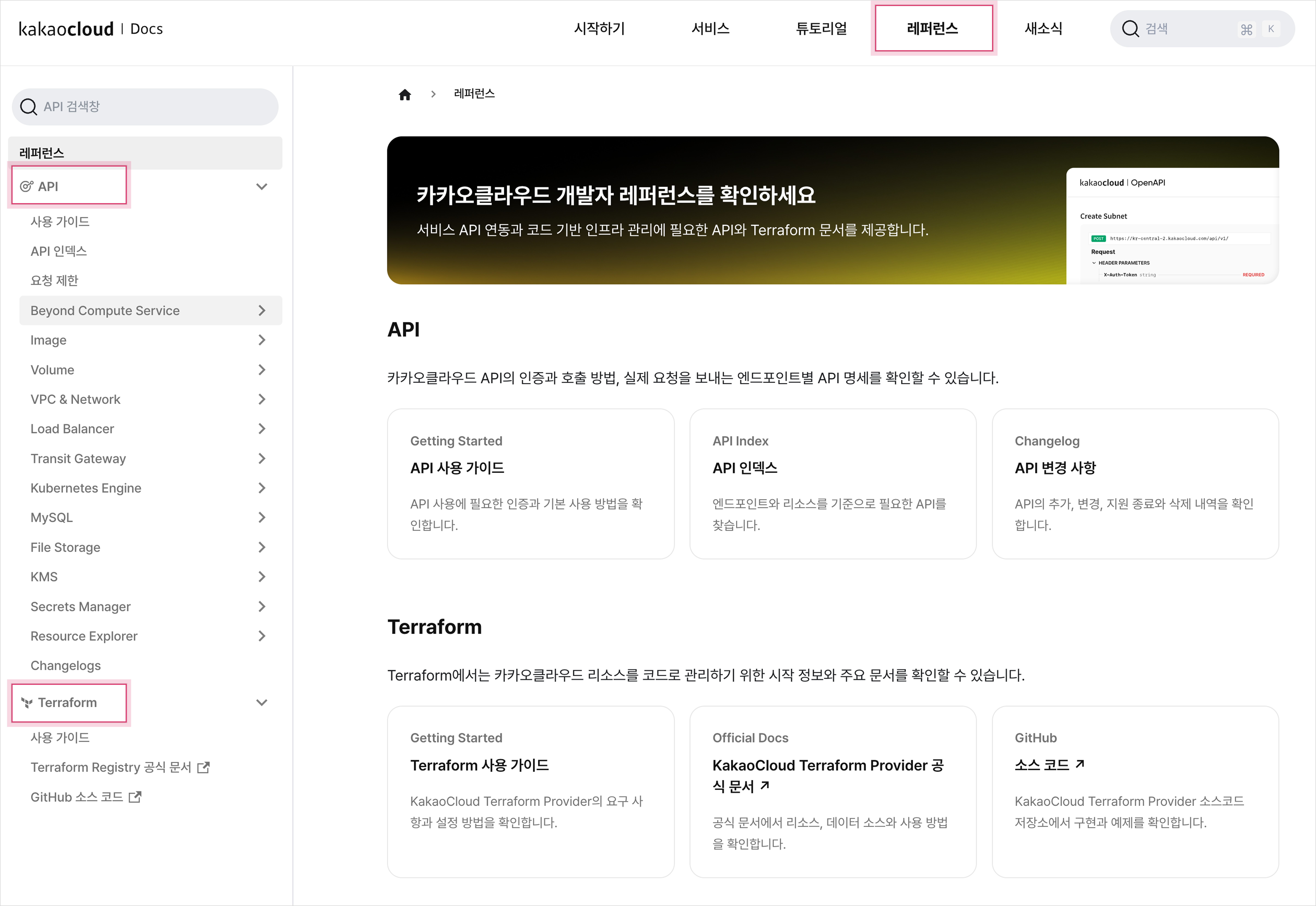
Newly organized reference menu
Find APIs by endpoint instead of service
Previously, API documentation was divided into service-based categories, and you found APIs by navigating through each service. With this update, APIs are grouped by the endpoint used to call the API, so you can explore the API specifications provided by the same endpoint in one flow.
The sidebar provides both a detailed area where you can expand APIs by endpoint and an API search box. Search API names and resource names in Korean or English, such as 인스턴스 or volume, to go directly to the relevant documentation.
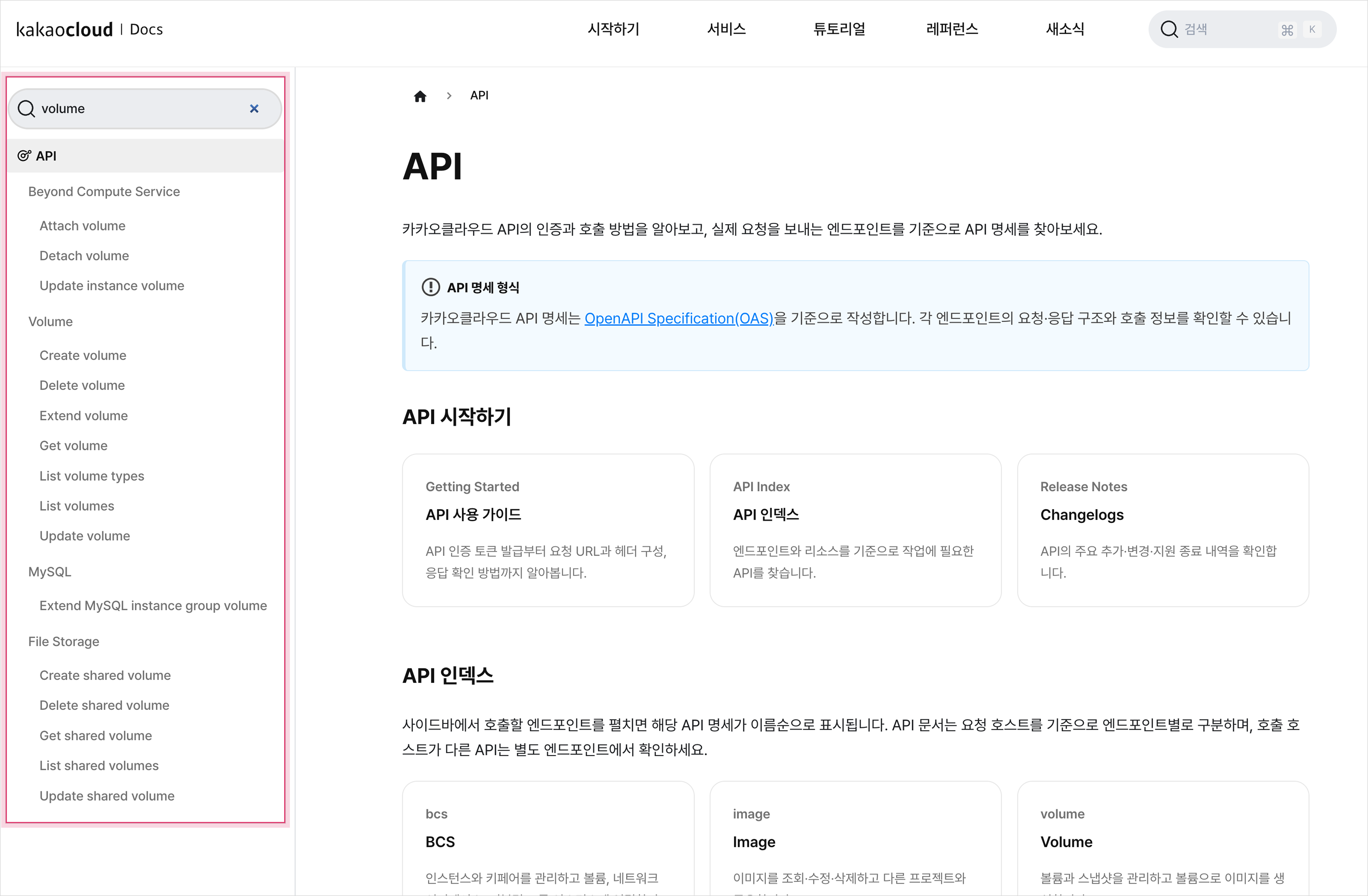
Using the API search box in the reference menu
To review the overall API structure or the main tasks by endpoint first, see the API Index. The API Index explains how to build a base URL and choose an endpoint for each task. For example, check the bcs endpoint to change an instance status, and the volume endpoint to manage volumes or snapshots.
If you use APIs in operational scripts or deployment pipelines, also check the API changelogs. Regularly reviewing API additions, changes, and end-of-support notices helps you identify compatibility issues before integration.
From Terraform Provider documentation to tutorials
As before, the official KakaoCloud Terraform Provider documentation is the reference for arguments, version-specific settings, and examples for each resource and data source. This update connects the Terraform user guides and tutorials in the KakaoCloud technical documentation so that you can move from reviewing Provider documentation to configuring and running an actual environment.
You can find the basics of Terraform, authentication, and the execution flow in the Terraform user guide. For arguments and examples for each resource and data source, see the official KakaoCloud Terraform Provider documentation. For the Provider implementation and changes, see the source code repository.
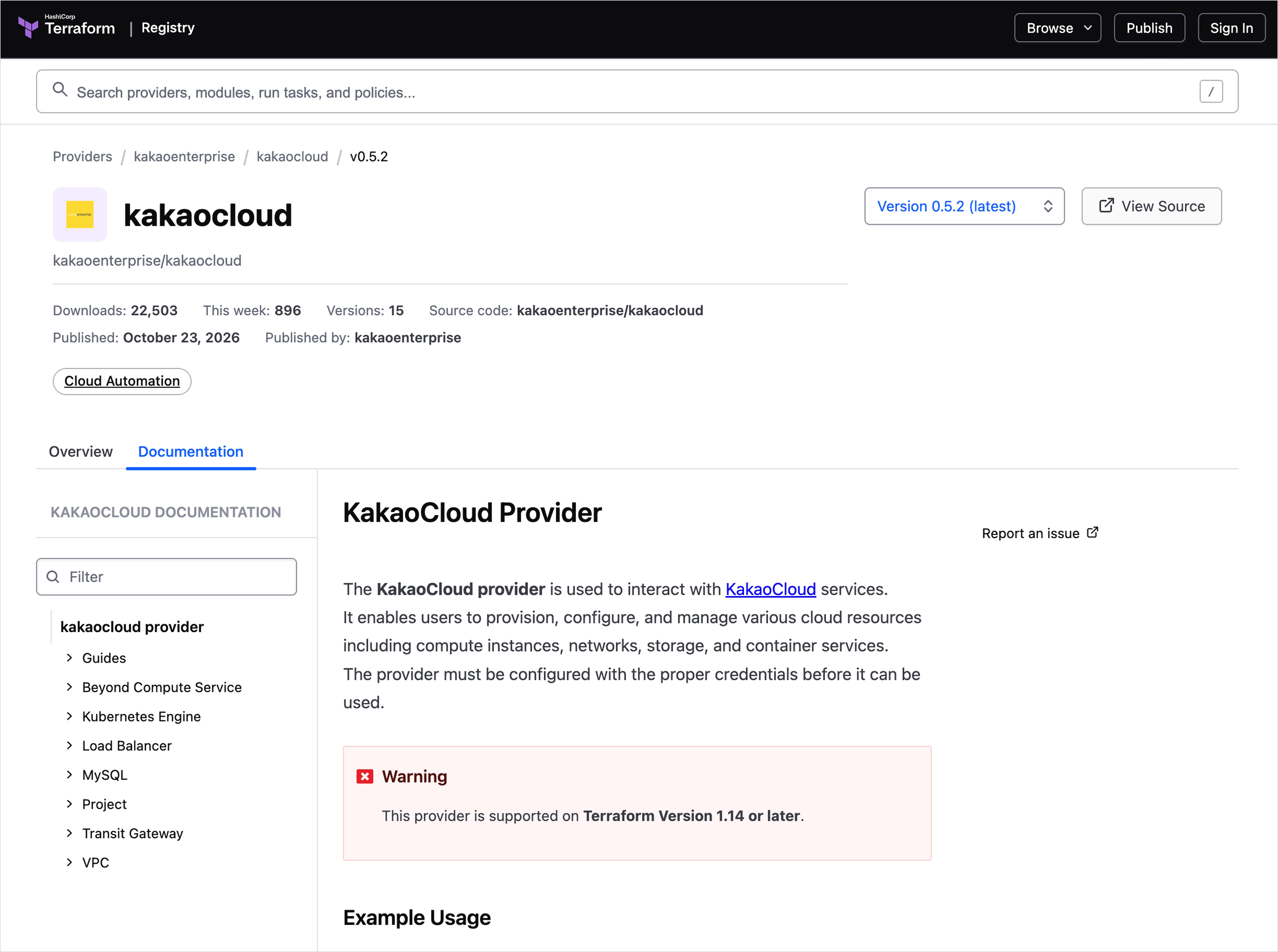 KakaoCloud Terraform Provider
We also recently added tutorials to help developers new to Terraform learn the basic commands and resource change workflow. Provisioning and changing a VM with Terraform walks through the basic flow of using an existing subnet to create a VM, then applying and deleting changes with terraform plan and terraform apply.
Once you are familiar with the basic flow, try Building a 3-tier web service with MySQL using Terraform. You will configure a VPC, web and application servers, a load balancer, and MySQL, then review the deployment result of a web service with connected resources.
Conclusion
If you are starting an API integration, review authentication and request configuration in the API user guide, then find the required endpoint in the API Index. If you are building infrastructure with Terraform, learn the basic flow in the Terraform user guide, then follow the tutorials to configure an actual environment.
KakaoCloud will continue improving the developer reference so that developers can find documentation and connect what they learn to actual implementations.
If you have any questions or need support, contact us through the Helpdesk.
Thank you.
👉 Go to the KakaoCloud developer reference
👉 Start using KakaoCloud now