Reader role added to the IAM permission system

The following announcement for a new IAM service role was written based on information available in November 2023. For the latest information about KakaoCloud IAM, see IAM.
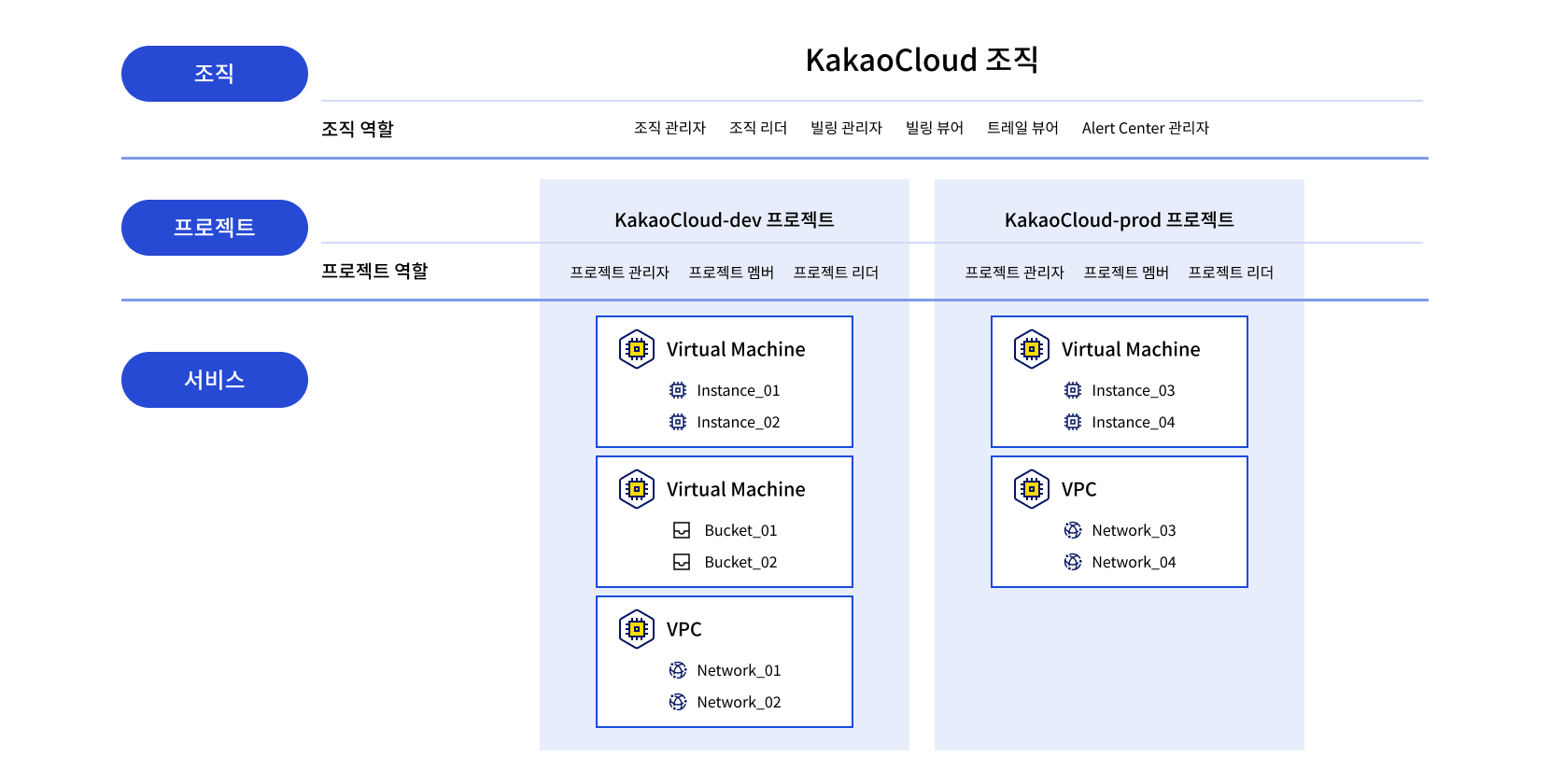 KakaoCloud resource hierarchy
Hello, KakaoCloud IAM (Identity and Access Management) is a service that lets you manage access and control permissions for cloud resources and user groups.
Recently, KakaoCloud released the Reader role for both the 'Organization' and 'Project' levels in IAM.
An 'Organization' is the top-level concept in the KakaoCloud hierarchy and can be viewed as a cloud domain. A 'Project' is a group that can own service-level resources and is a lower-level hierarchy within an organization. At both the organization and project levels, the Reader role is fundamentally granted only permission to view information or resources within the corresponding group.
-
A user granted Reader permission at the organization level can view the organization's information and all project information within that organization. However, the user cannot view or manage resources other than project information. It is an organization-level role with minimal permissions compared with Organization Owner and Organization Admin.
-
Project Reader is also a permission configured only to view resources by project. It is one permission level lower than Project Member and can view resources owned within the project. To create, read, update, or delete resources beyond resource viewing, a user must be granted Project Member or higher permissions.
With the addition of the Reader role at the organization and project levels, permissions can now be created more granularly based on users' affiliations and responsibilities within an organization. The changed IAM role system applies equally to all KakaoCloud regions.
For more information about role management in KakaoCloud, see the IAM role management documentation.
We will continue working to provide safer and more convenient cloud services.
Thank you.

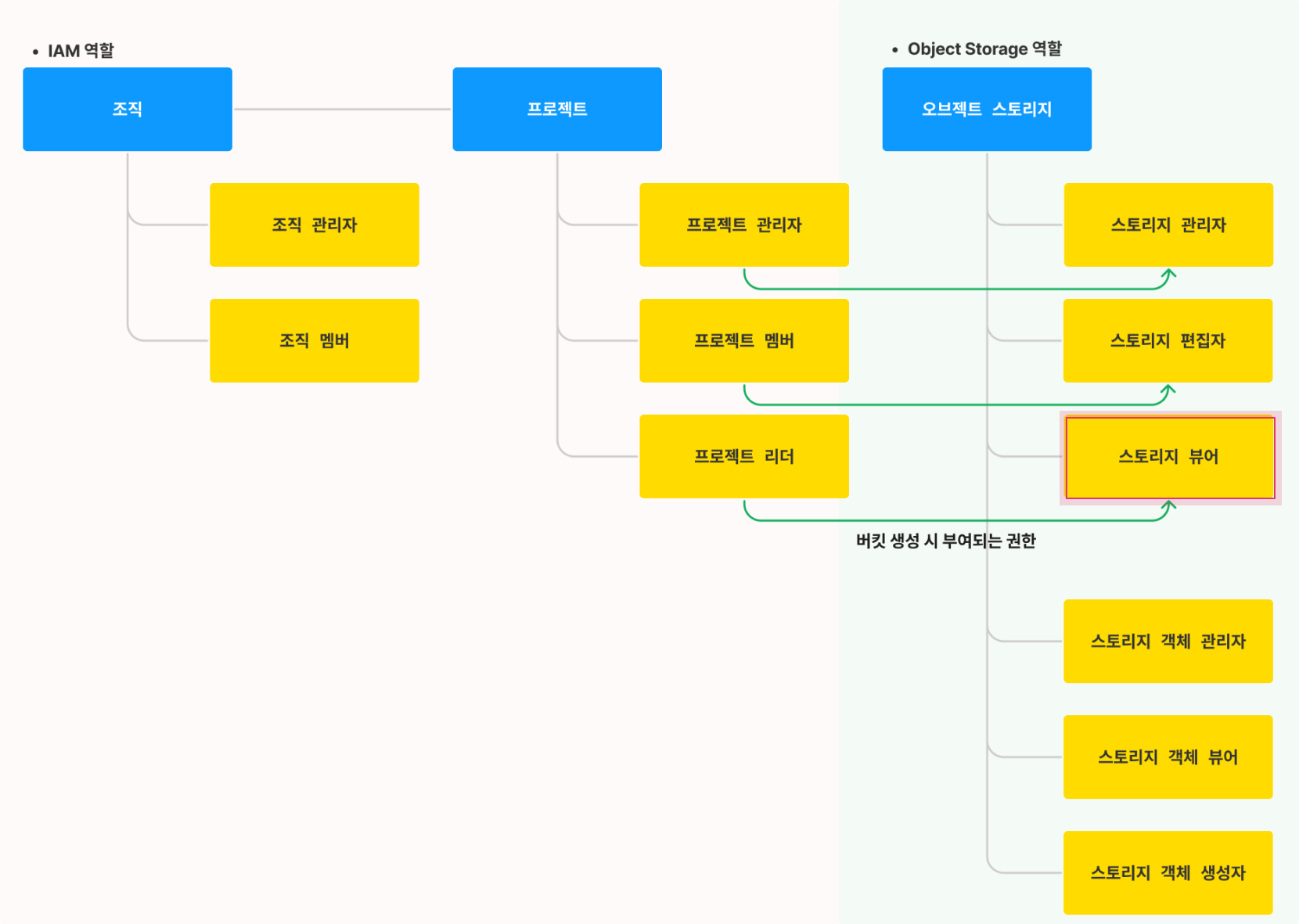 Permission setting architecture
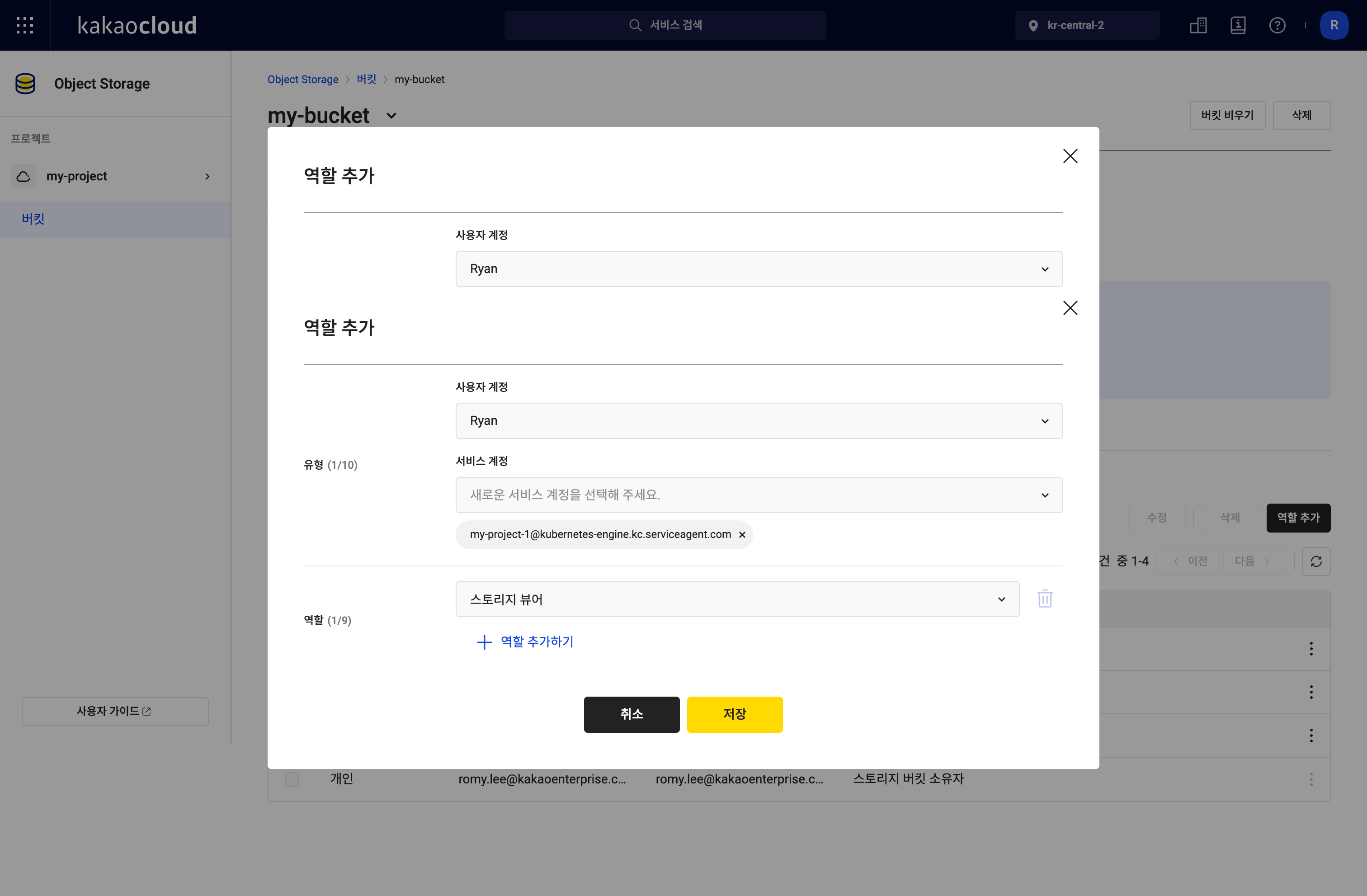 Bucket role settings